DYMO LabelWriter 550: A Smarter Way to Print Labels in Your Business
Whether you’re sending parcels, organising paperwork or managing stock, having a reliable label printer can make everyday office tasks quicker and easier. The DYMO LabelWriter 550 Thermal Label Printer is designed to help businesses save time, reduce label waste and keep their operations running smoothly.
Compact, efficient and easy to use, it’s a practical addition to offices, warehouses, retail environments and busy dispatch departments.
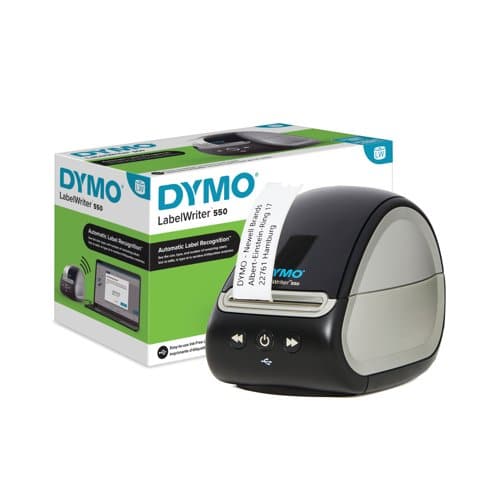
What is the DYMO LabelWriter 550?
The DYMO LabelWriter 550 is a desktop direct thermal label printer that produces professional-quality labels without the need for ink or toner cartridges or even a film like some other label printers.
Using direct thermal technology, it prints text, barcodes and graphics onto compatible DYMO LabelWriter labels. With a print resolution of 300 dpi and speeds of up to 62 labels per minute, it is well suited to businesses that regularly need to produce labels in volume.
Its compact design also makes it ideal for workspaces where desk space is limited.
Key Features and Benefits
Automatic Label Recognition
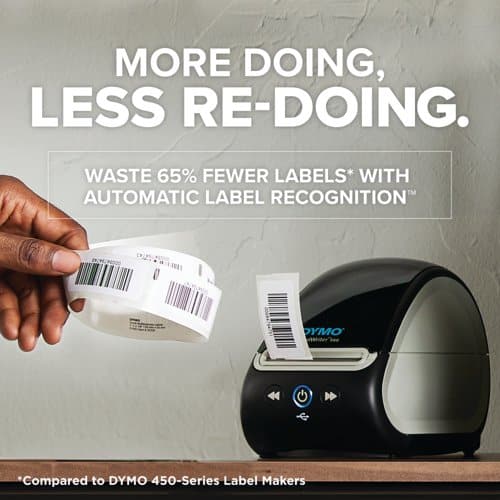
One of the standout features of the LabelWriter 550 is its Automatic Label Recognition technology.
The printer identifies the size and type of label loaded and keeps track of how many labels remain on the roll. This helps reduce incorrect label settings, avoid unnecessary printing and make it easier to plan when replacement rolls are needed.
No Ink or Toner Required
Unlike conventional inkjet and laser printers, the LabelWriter 550 uses direct thermal printing.
This means there are no ink cartridges or toner to purchase or replace, helping simplify ongoing maintenance and reduce consumable costs.
Fast, Professional Label Printing
With speeds of up to 62 labels per minute, the LabelWriter 550 can handle everyday labelling tasks efficiently.
Its 300 dpi resolution produces clear, professional-looking labels suitable for addresses, barcodes, product information and general office organisation.
Easy-to-Use Label Design Software
The printer works with DYMO Connect for Desktop software, available for compatible Windows and Mac computers.
The software allows you to create customised labels using text, graphics, barcodes and QR codes. You can also print labels in batches using information from applications such as Microsoft Excel, Outlook and Google Contacts.
What Can You Use the DYMO LabelWriter 550 For?
The LabelWriter 550 is versatile enough to support a wide range of business applications.
- Mailing and dispatch: Print address labels for letters, parcels and customer orders.
- Stock and inventory: Create barcode labels to help identify and track products.
- Office organisation: Label files, folders, storage boxes and equipment.
- Retail: Produce product identification and pricing labels.
- Visitor management: Print name badges and visitor labels.
- Administration: Create customised labels for documents, records and internal processes.
By replacing handwritten labels and manually prepared sheet labels, businesses can improve consistency and save valuable time.
Is the DYMO LabelWriter 550 Right for Your Business?
If your business regularly prints one off address labels, barcode labels or general-purpose labels, the LabelWriter 550 offers a convenient and efficient solution.
It is particularly useful for small and medium-sized businesses looking to streamline their daily processes without investing in a large, complex printing system.
Please note that the LabelWriter 550 is designed to work with authentic DYMO LabelWriter labels. Check label compatibility before purchasing replacement rolls.
Buy the DYMO LabelWriter 550 from Octopus Office Products
At Octopus Office Products, we help businesses find practical office equipment and supplies to support their everyday needs.
The DYMO LabelWriter 550 is a useful investment for businesses looking to make label printing faster, simpler and more consistent.
Explore the DYMO LabelWriter 550 Thermal Label Printer:
View the product on Octopus Office Products
For more information on The Dymo Labelwriter range of label printers visit the Dymo page. Be sure to come back here though to buy your printer!